
KamKorda
KamKorda Presentation Clicker, Clicker for PowerPoint, Board Clicker, Presentation Pointer, for Teachers, University, College Lectures - Black
- Introducing the KamKorda Presentation Clicker, the ultimate tool designed for educators, professionals, and anyone who regularly presents. This sleek and compact clicker makes navigating your PowerPoint slides or online presentations a breeze. With its effortless plug-and-play setup, you can simply insert the USB receiver—hidden conveniently in the battery compartment—into your computer and you’re ready to go! Enjoy the freedom to move around your presentation space with an impressive range of up to 10 metres, allowing you to engage with your audience without being tethered to your laptop.
- But it’s not just about mobility; the KamKorda Presentation Clicker features an intuitive design that includes a screen hide button. This unique feature lets you temporarily black out your screen, allowing you to regain your audience’s attention before seamlessly resuming your presentation. Compatible with a wide array of operating systems, including Windows 10, Mac OS, and Linux, this clicker is perfect for any setting—be it classrooms, meetings, or university lectures.
- Lightweight and easily held in one hand, the KamKorda Presentation Clicker empowers you to focus on delivering a captivating presentation rather than fiddling with technology. Elevate your presentation game and leave a lasting impression with this essential tool!
Product details
| Brand | KamKorda |
| Availability | In stock |
| Weight | 0.05291094288 Pounds |
| ASIN | B08CN2MHPK |
| Price | £7.27 |
Frequently asked questions
What devices is the KamKorda Presentation Clicker compatible with?
The KamKorda Presentation Clicker is compatible with Windows 10, Windows 2000, Windows XP, Windows Vista, Mac OS, and Linux systems, making it a versatile choice for any user.
How far can I operate the KamKorda Presentation Clicker from my computer?
You can enjoy a wireless range of up to 10 metres, allowing you to move freely while presenting without losing control of your slides.
Is the KamKorda Presentation Clicker easy to set up?
Absolutely! It features a simple plug-and-play operation. Just insert the USB receiver located in the battery compartment into your device, and you’re ready to start presenting.
What unique features does the clicker offer?
The clicker includes a screen hide button that allows you to temporarily black out your screen, helping to maintain audience engagement during your presentation.
Can I use the KamKorda Presentation Clicker for online presentations?
Yes, this clicker is perfect for both in-person and online presentations, making it a great tool for teachers and professionals alike.
Is the KamKorda Presentation Clicker lightweight?
Yes, its compact design makes it easy to hold in one hand, allowing you to focus entirely on your presentation without any distractions.
Related products
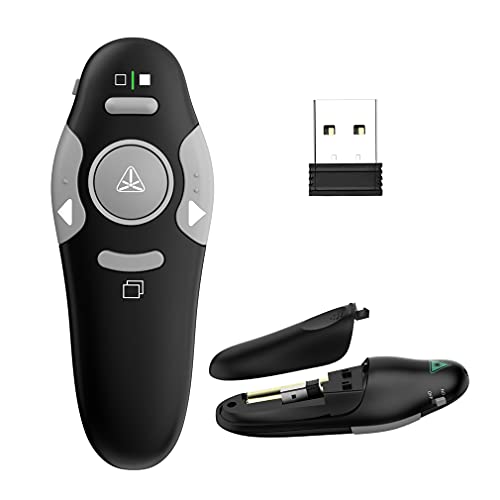
QUI Presentation Clicker Pointer, 328FT Wireless Presenter Remote PPT PowerPoint Clicker, 2.4GHz Presentation Pointer Slide Advancer for Mac, Laptop (Green Function Indicator Light)
£12.98

USB & Type-C 2 in 1 Clicker for Powerpoint 2.4GHz Hyperlink Volume 328FT Wireless Presenter Remote PPT PowerPoint Clicker Presentation Clicker for Powerpoint Computer Laptop Mac
£8.99
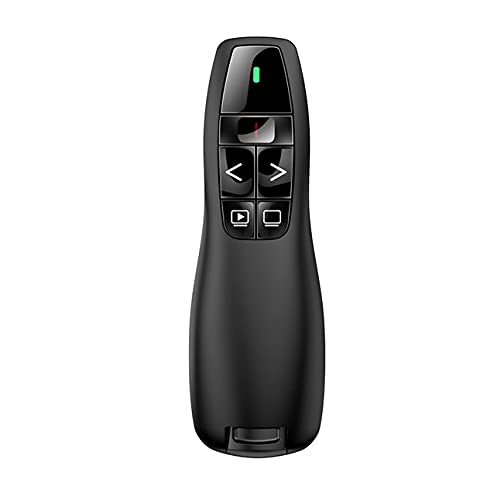
Qui Presentation Clicker Pointer, 328FT Wireless Presenter Remote PPT PowerPoint Clicker, 2.4GHz Presentation Pointer Slide Advancer for Mac, Laptop,
£9.98

Norwii Wireless Presentation Clickers for Powerpoint, PPT Presenter Clicker
£14.99